Solo founder
You need to show a booking concept before the service rules are settled.
Keep the template's broad flow, then mark assumptions about availability and cancellation for review.
Mobile starting points
Searching for mobile app design templates free? A template can give your app design a screen structure, but it cannot decide which tasks, content, and states matter to your users. Use it as a draft to test, not a finished product.

The value of a template is the structure it lets you inspect. Work through the screen before spending time on visual polish.
Name the action the screen must support, such as booking an appointment. Pick a template with a comparable information flow rather than one that merely has appealing colors.
Write realistic labels, button text, and example entries. This exposes cramped areas and unclear choices that placeholder text can hide in an app design draft.
Sketch what appears before data loads, when a list is empty, after an error, and after success. A template's polished main screen rarely covers every state.
Different starting points solve different problems: finding a layout, shaping a screen, or deciding which design capabilities you need.
Use this step-by-step comparison to decide whether a template fits the task before rebuilding its details.
| Template-first route | Blank-screen route | |
|---|---|---|
| First step | Find a layout organized around a similar user task. | List the task, required information, and primary action. |
| Screen structure | Inspect the preset hierarchy and remove irrelevant blocks. | Arrange content by importance before adding decoration. |
| Content | Replace every sample label and image with plausible content. | Write real labels while establishing the layout. |
| Interaction states | Add absent empty, error, loading, and success views. | Plan those states alongside the default view. |
| Visual consistency | Check whether inherited type, spacing, and controls still fit. | Define a small set of repeatable rules as you work. |
| Best fit | Useful when the task closely matches an existing pattern. | Useful when the flow or content is unusually specific. |
A mobile template can speed up a first pass, but its gaps depend on who will use the screen and what happens after the main action.
You need to show a booking concept before the service rules are settled.
Keep the template's broad flow, then mark assumptions about availability and cancellation for review.
A mobile account screen must match an existing component system.
Treat the template as a content checklist, not as a source of final typography or controls.
You want to understand why a sample navigation pattern works.
Rebuild one flow with realistic content and compare how each route changes the screen.
Several people are reviewing the same early app design direction.
Agree on the primary task and missing states before discussing colors or imagery.
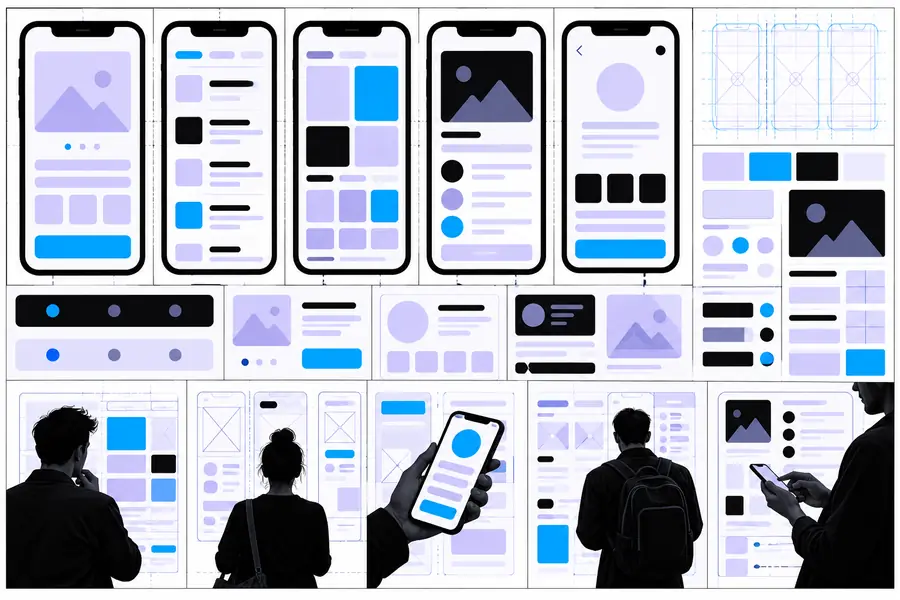

These are illustrative references, not a documented transformation or generated output. Compare the hierarchy and ask whether the mobile direction leaves room for real labels, smaller screens, and non-default states.
Structure referenceMobile template directionBefore continuing your app design, write down the user's goal, the screen's primary action, and one state the template does not show. Take that brief into the browser entry point and check what options are available there.
Start with the user task, then look for a layout with a similar flow. Replace the example content immediately so you can tell whether the structure still works for your screen.
Usually not on its own. A template may illustrate a main screen, while your app also needs decisions about navigation, accessibility, content, and empty or error states.
Change the labels, sample data, and primary action before adjusting colors. Realistic content makes problems with space and hierarchy easier to spot.
You can use a template as a reference while planning and reviewing a screen in a browser. Whether a particular template file can be imported or edited depends on the tool and file format; check those details before committing to it.
Compare the template's main action, content order, and navigation with the task your user needs to complete. If you must replace most of the flow, a blank-screen approach may be clearer.